Example
Example
Example: Measuring Daily Lead Creation
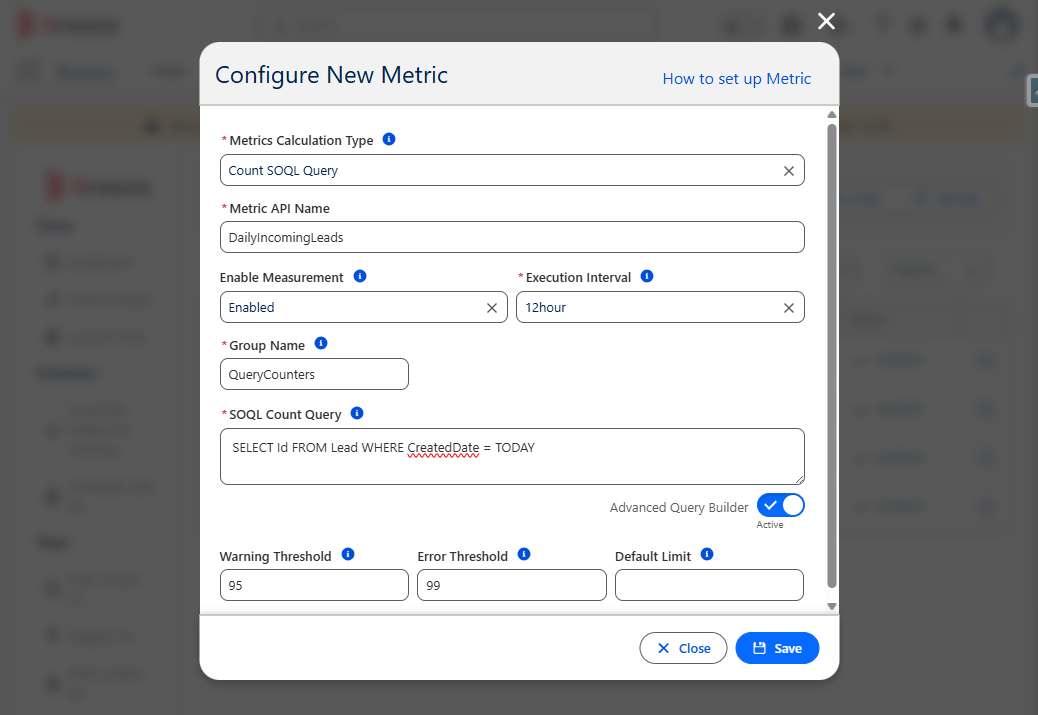
Below is an example of creating a metric to measure how many Lead records are created daily in your Salesforce org.
- Navigate to Breezz Setup → Metrics → New.
-
Configure the metric with the following values:
- Metrics Calculation Type:
Count SOQL Query - Execution Interval:
12 hours - Metrics Calculator Class Name:
forvendi.Metrics.CountQueryMetricsCalculator - Group Name:
Lead Monitoring - SOQL Query:
SELECT COUNT() FROM Lead WHERE CreatedDate = TODAY
- Metrics Calculation Type:
-
Click Save.
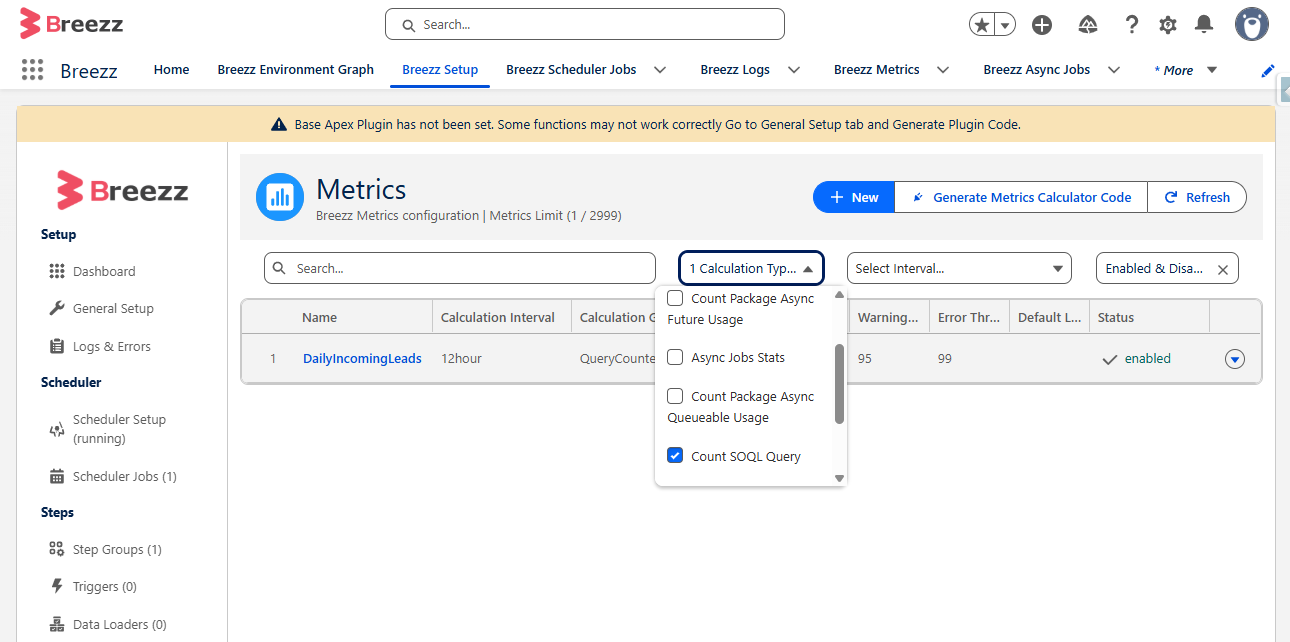
You can verify that the metric is properly registered and deployed by searching for its API Name or filtering by the calculation type in the Metrics dashboard.
💡 Apex API Reference: If you are looking for technical class signatures and data structures (
MetricandMetricInfo), visit the Breezz APEX API - Metrics Reference.