How to Reprocess Queued Async Job
If a Breezz Asynchronous Job fails or gets stuck due to temporary governor limits, network timeouts, or unhandled exceptions, you can manually reset its execution parameters in Salesforce to trigger reprocessing.
How to Reprocess an Async Job
- Open App Launcher and navigate to Breezz Async Jobs.
- Select the specific Async Job record you wish to retry.
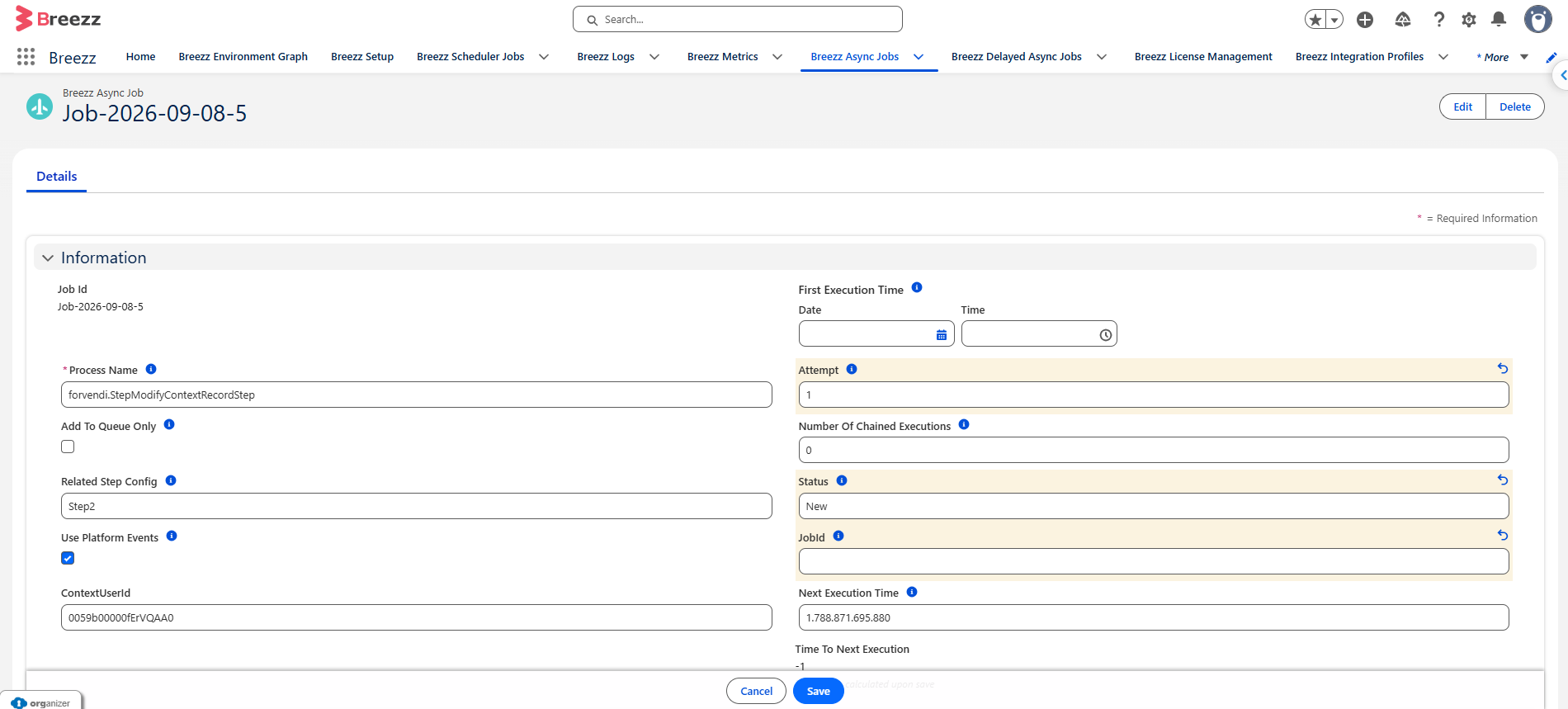
- Edit the record fields and update them to the following values:
| Field Name | Required Target Value | Description |
|---|---|---|
| Status | New |
Resets the job state so the worker queue picks it up on the next execution pass. |
| Attempts | 1 |
Resets the execution retry counter. |
| JobId | (Clear / Set to Null) | Removes the prior Salesforce Queueable or Batch Apex transaction reference. |
💡 Related Topics: To learn more about background worker execution and async strategies, check out Async Steps.