Data Capture Trigger Event Handler
Salesforce Change Data Capture (CDC) publishes change events representing modifications to Salesforce records in near real-time. Change events are published when records are created, updated, deleted, or undeleted.
Breezz allows you to attach trigger execution pipelines directly to Change Data Capture event streams (e.g., CaseChangeEvent) to automate asynchronous follow-ups and external data synchronizations.
Step 1: Enable Change Data Capture in Salesforce
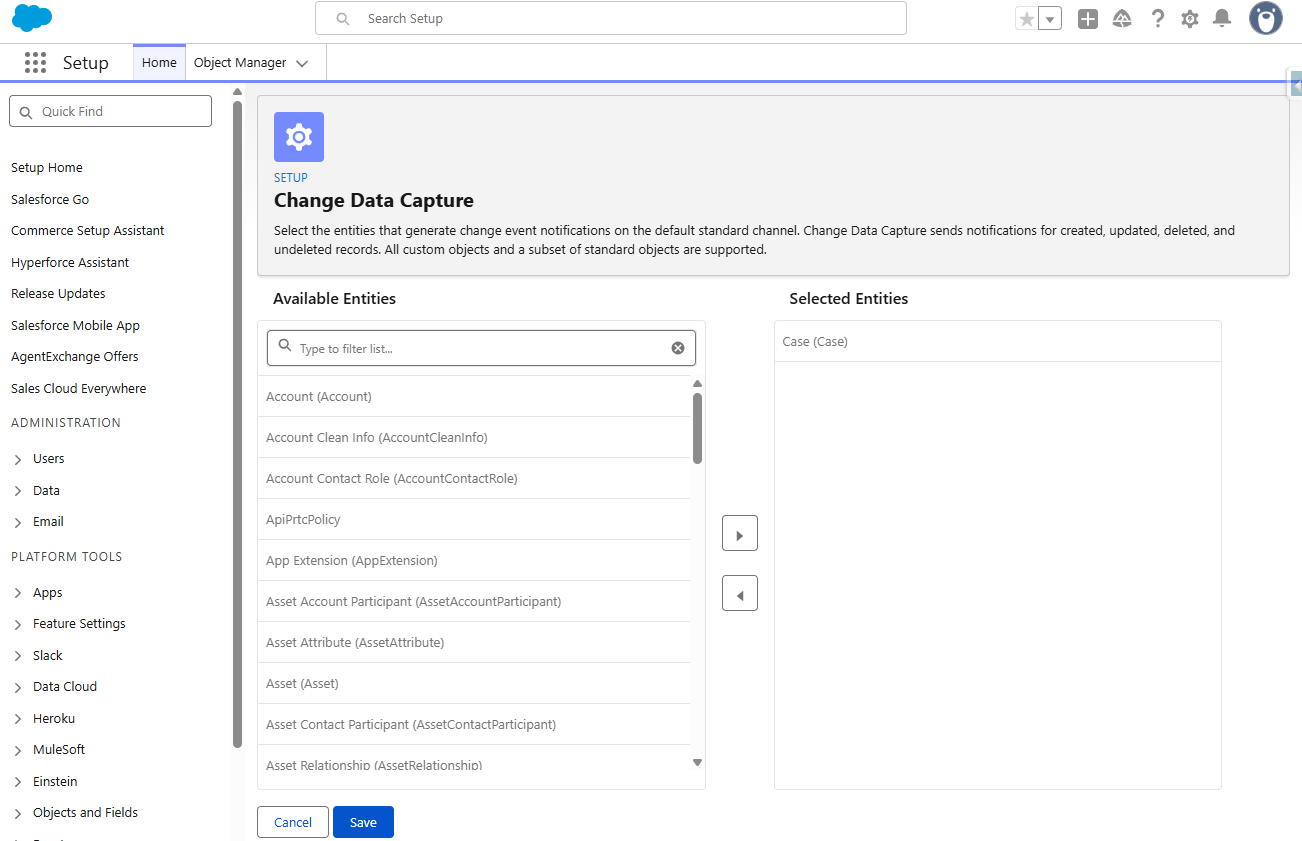
Select the target object for CDC event notifications:
- Navigate to Setup → Integrations → Change Data Capture.
- Select the Case standard object (or any custom/supported standard object) and move it to the Selected Entities list.
- Click Save.
Step 2: Deploy the Change Event Trigger
Create an Apex trigger on the target Change Event object (CaseChangeEvent). CDC triggers always execute within the After Insert context pass:
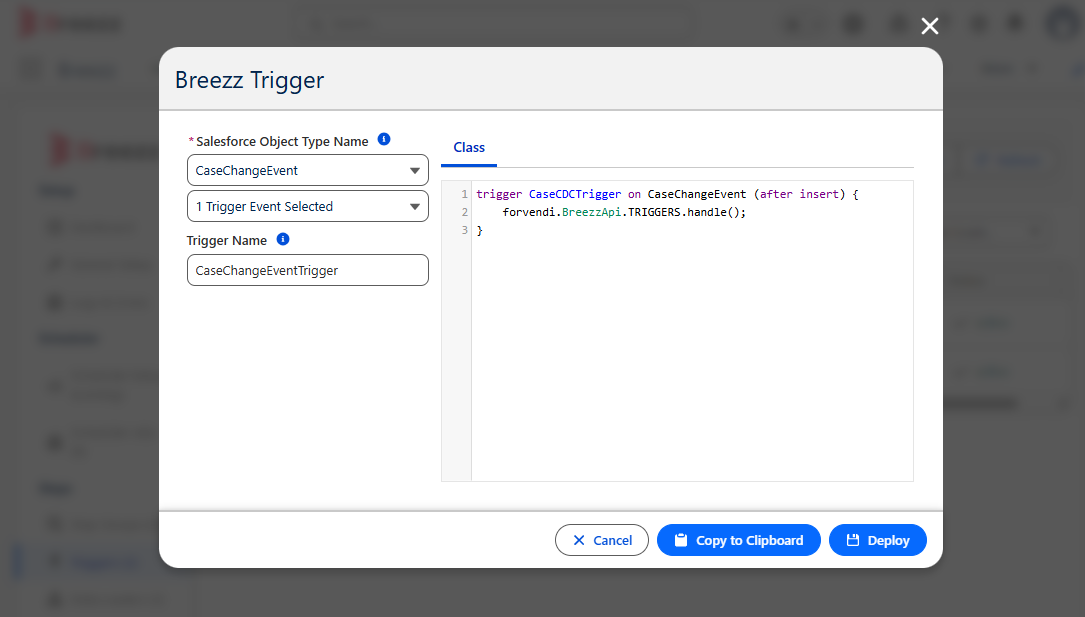
trigger CaseCDCTrigger on CaseChangeEvent (after insert) {
    forvendi.BreezzApi.TRIGGERS.handle();
}
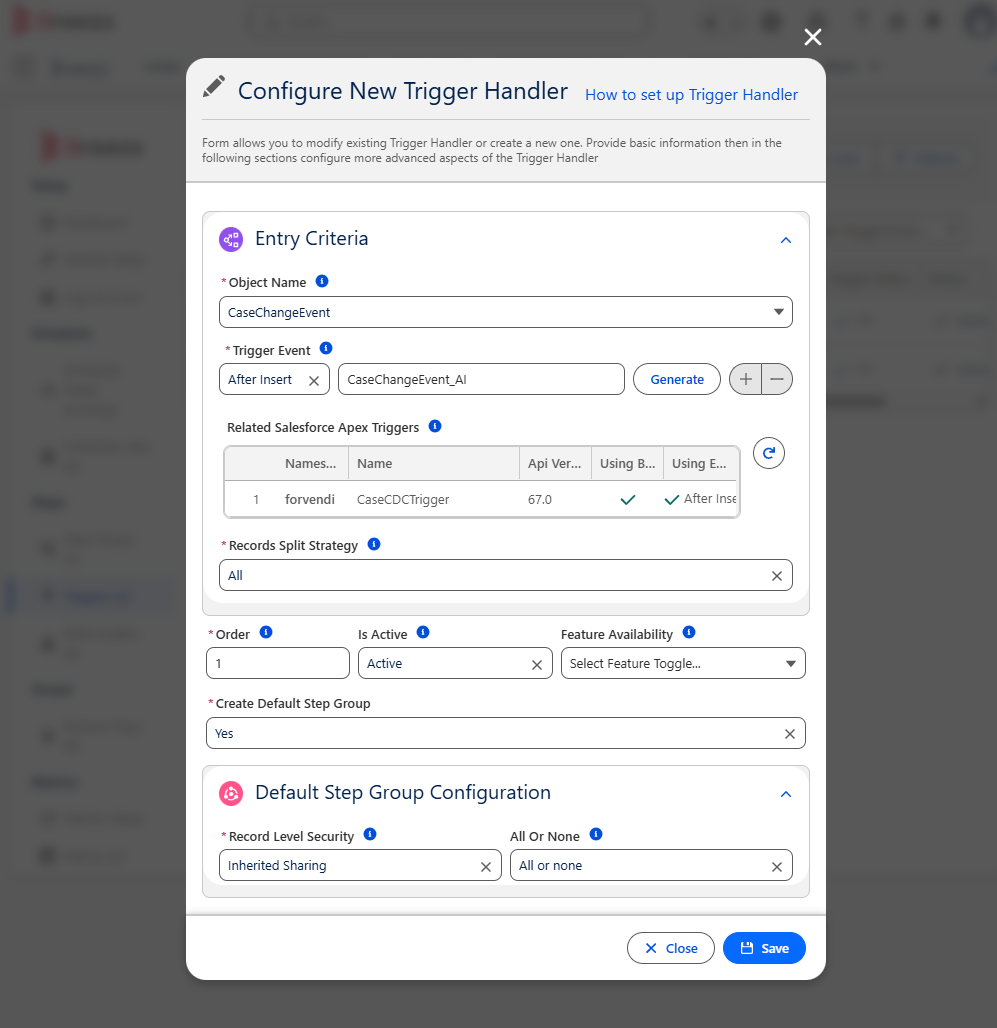
Step 3: Configure the Breezz Trigger
In Salesforce, navigate to Breezz Setup → Triggers → New and register a new configuration using the exact API name of the change event object (CaseChangeEvent):
Step 4: Create the Step Class
Create an Apex Step class extending forvendi.Step to evaluate the change event payload and process follow-ups:
public with sharing class CaseFollowUp extends forvendi.Step {

    public CaseFollowUp() {
        super(CaseFollowUp.class.getName());
    }

    public override Boolean initRecordProcessing(Object record, Object optionalOldRecord) {
        CaseChangeEvent caseEvent = (CaseChangeEvent) record;
        EventBus.ChangeEventHeader header = caseEvent.ChangeEventHeader;
        List<Task> tasks = new List<Task>();

        // Check if change type is CREATE
        if (header.changetype == 'CREATE') {
            for (String recordId : header.recordids) {
                Task tk = new Task();
                tk.Subject = 'Follow up on new case, Source: ' + caseEvent.Origin;

                if (caseEvent.ContactId == null) {
                    tk.Description = 'Get contact information.';
                    tk.ActivityDate = System.today().addDays(1);
                } else {
                    tk.Description = 'Get in touch';
                    tk.ActivityDate = System.today().addDays(3);
                }

                tk.WhatId = recordId;
                tk.OwnerId = header.CommitUser;
                tasks.add(tk);
            }

            // Queue task insertion using ModificationContext
            getContext().addToInsert(tasks);
        }

        return false;
    }
}
Event Header Details
ChangeEventHeader.recordIds: Array of record IDs modified in the transaction. When multiple records of the same type are inserted simultaneously, Salesforce may consolidate change notifications into a single change event payload.ChangeEventHeader.CommitUser: The User ID of the user who committed the underlying transaction, useful for setting ownership or audit fields on generated records.ChangeEventHeader.changetype: Operation type that generated the change event (CREATE,UPDATE,DELETE,UNDELETE).
💡 Apex API Reference: For asynchronous execution or DML context queuing, check out Breezz APEX API - ModificationContext.